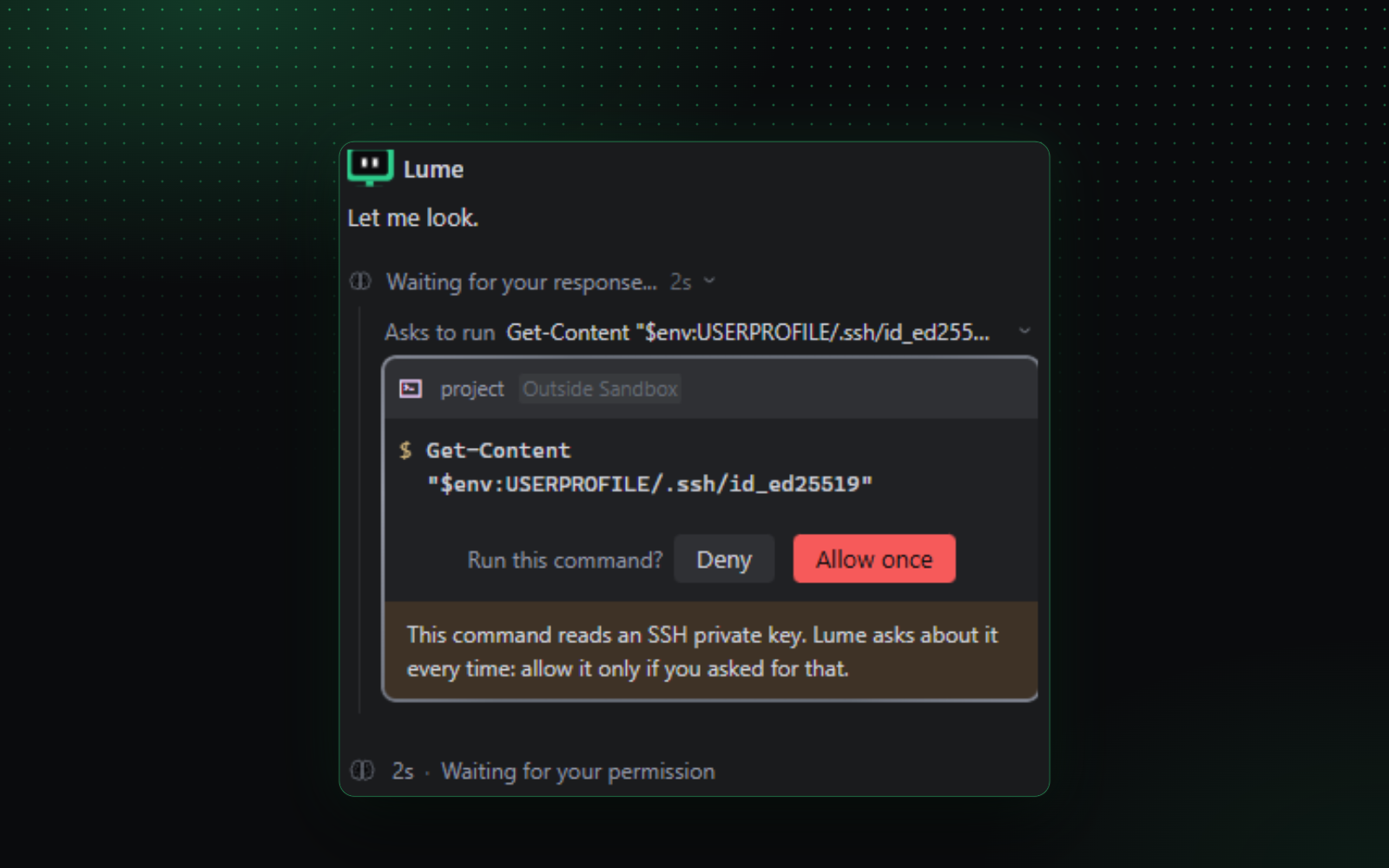
An agent that edits files and runs commands is useful exactly because it can act. That is also why it needs limits, and why those limits have to hold in every mode, not only in the careful one. Here is how Lume draws them.
You choose how much it may do
Every task runs under an approval mode, and the five modes are named for what they do:
| Mode | What it does |
|---|---|
| Manual | You approve every file change and every command that changes something. |
| Accept Edits | Edits in the project go ahead; commands that change something ask. |
| Auto | The agent checks its own actions and asks you only when it is unsure. |
| Full Access | Everything runs without asking. For work you trust. |
| Custom | Your own rules: which commands, folders and sites need asking. |
When the agent asks, the card says in plain words what it wants to do and why it is asking, with Deny and Allow once. When you deny something, the agent is told so, and told not to try again another way.
Some things always ask
A few things ask you first in every mode, Full Access included:
- The red list. Commands that destroy data always come to you on a card.
- Scheduled tasks. A task that will run later without you is shown before it is made or changed: its name, when it runs and what it will do.
- Where your keys live. A command that names the place where your keys and sign-ins are kept asks you first, and its card says what it reads or where it writes. The same holds for a line typed into a command that is already running.
Your keys stay out of reach
The agent's own reading tools and its sandbox do not open your SSH and GnuPG private keys, your cloud credentials, the logins git, npm, Docker and kubectl saved, or the files where Lume keeps your sign-in. The commands the agent runs, your MCP servers and your hooks no longer get Lume's account token or your model's key. A key you give for one model server goes only to that server.
Text you cannot see is not read as an order
Instructions can hide in characters that draw nothing on screen. Lume leaves them out of your rules, your project's instruction files, its skills, agents and commands, your own tools and the agent's memory before the agent reads them, so they cannot carry words you never saw. Web pages, search results and MCP tool descriptions reach the agent the way you read them.
What Lume remembers about you is a note, never an order: a memory that asks for something to be done is put to you instead of carried out.
Pages stay in their place
A page the agent opens in its browser from a file reaches into its own folder only. It cannot frame, link to or move itself to your keys or Lume's sign-in elsewhere on the computer.
The big decisions stay with you
Signing in is yours to do: the agent does not open Lume's sign-in page, and signing in through the browser hands Lume a one-time code instead of your account's token. In the Agent window, the voice may deny a risky request but never allow it.
None of this replaces reading the diffs, but it means the agent's mistakes stay small, and the decisions that matter come to you. The approval modes are described in the docs: Agent window.