Some work is easier to say than to type. Not sure yet how to go about a task? Think it over out loud with Lume, agree on a plan, and let the agent start while you keep talking.
That is voice mode, in the Agent window of Lume IDE. It is not dictation: Lume answers you aloud, gives the agent your requests, and tells you how the work goes while it runs. When you want to change course, just speak, and Lume stops to listen.
Start a conversation
Open the Agent window (the Agent ↗ button beside the IDE and SOLO switch at the top left of Lume IDE) and press the wave button in the message box, Use voice mode.
The first time, a short card explains what voice mode is for. Press Start discussion, and talk. When you end the conversation, the agent sums up what you agreed in the chat, so nothing said is lost.
While you talk:
- A soft glow at the bottom of the window shows who is speaking: blue while Lume hears you, warm while Lume speaks.
- The microphone button beside the wave mutes you and turns you back on.
- The wave button ends voice mode.
- Speak to interrupt. Lume stops and listens. Headphones keep its voice out of your microphone; without them, Lume no longer cuts itself off when it hears its own voice from the speakers.
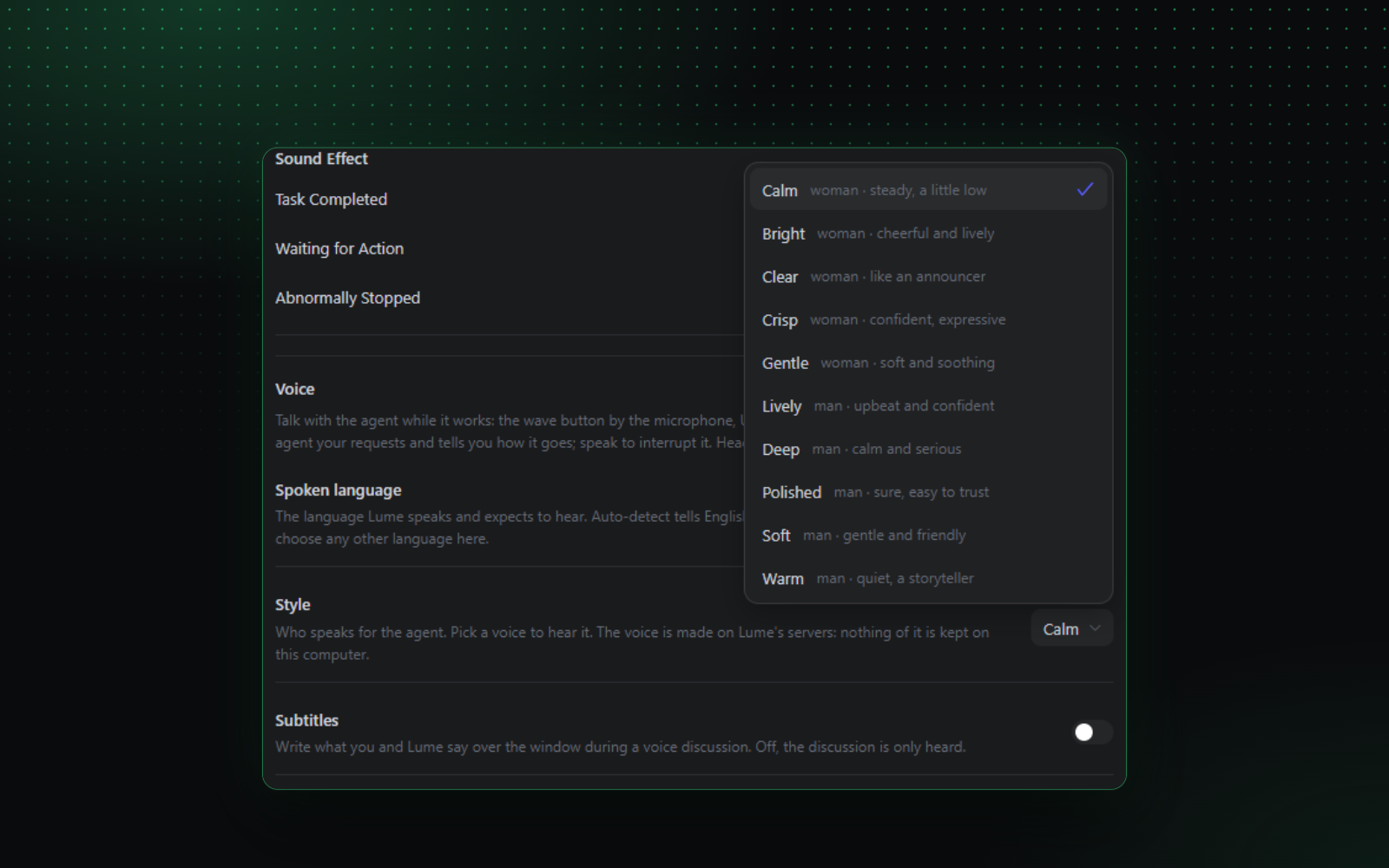
The conversation is heard rather than read. If you want to read along, turn on Subtitles in Settings → Conversation, and what you and Lume say is written over the window.
Choose who speaks
Settings → Conversation → Voice has ten voices, five of a woman and five of a man: Calm, Bright, Clear, Crisp and Gentle, Lively, Deep, Polished, Soft and Warm. Pick one and you hear it at once.
The voices are made on Lume's servers, so there is nothing to download. The voice Lume used to keep on your computer, about 400 MB, has been removed.
Speak your language
Under Spoken language, Auto-detect works for English. For another language, choose it there: Dutch, French, German, Italian, Polish, Portuguese or Spanish. Lume then speaks that language and listens for it.
On every account
Voice mode works on every Lume account, and it keeps working when your credits have run out. The work you hand to the agent is a task like any other, done by the model you picked.
Try it
Voice mode is in Lume IDE 1.7.138. Every setting and control is in the docs: Voice mode.